Keep delivery proof with the load
Attach the rate confirmation, bill of lading and proof of delivery. Move the load through its status updates with the documents beside the operational record.
Explore Backhaul / Paperwork & expenses
Give rate confirmations, delivery documents, receipts and extra charges a home with the load they belong to. See what is missing before closing it out.
Start with 14-day solo trial →No card upfront. Works on your phone and desktop.
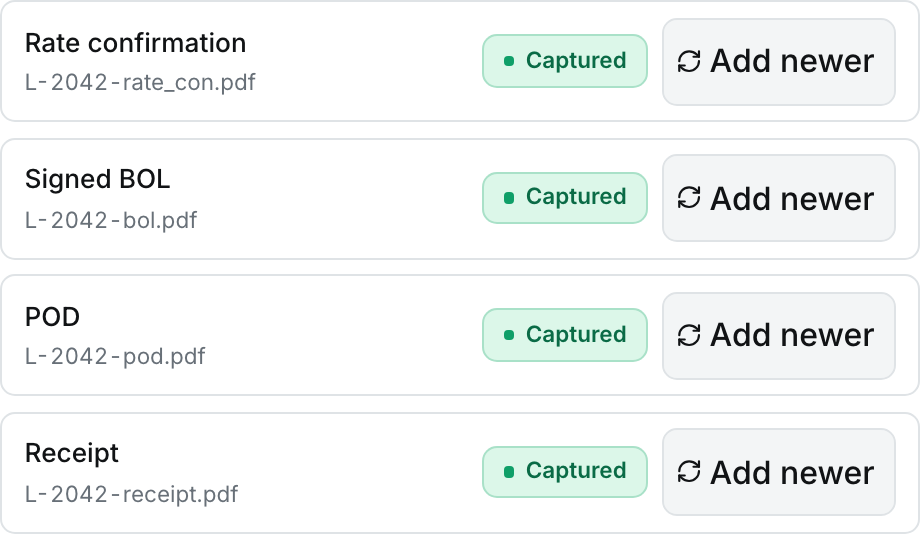
Rate confirmation, signed BOL, delivery proof and receipt—see what’s captured in one place.
View full-size screen (opens in a new tab)Attach the rate confirmation, bill of lading and proof of delivery. Move the load through its status updates with the documents beside the operational record.
Add fuel, tolls and other load expenses with receipts. Use expense categories and review missing receipts instead of leaving the whole cleanup until the end of the week.
Record accessorials such as detention and other extra charges. Review unbilled amounts before final payment setup so known extras do not disappear from the closeout process.
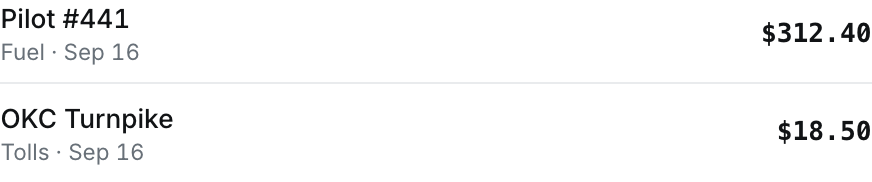
Fuel and toll expenses stay itemized with the load, ready to review at closeout.
View full-size screen (opens in a new tab)No. Document storage and payment tracking keep your records together. Follow your broker’s submission process and confirm the payment amount and due date in Backhaul.
No card upfront. Start with an offer you already have.
The rest of the workflow
Allow optional analytics and diagnostics so we can see which features work and fix reliability problems. No load details, routes, documents, or advertising IDs.